Warning: The following procedure is highly technical and is not recommended by Volcora. Any modification to the terminal may void the product warranty. Proceed entirely at your own risk. Volcora assumes no responsibility or liability for any damage, malfunction, or consequences resulting from such modifications.
1. Turn off and unplug the terminal. Open the backcasing of the terminal to locate the motherboard.
Find the pin connecter on the board: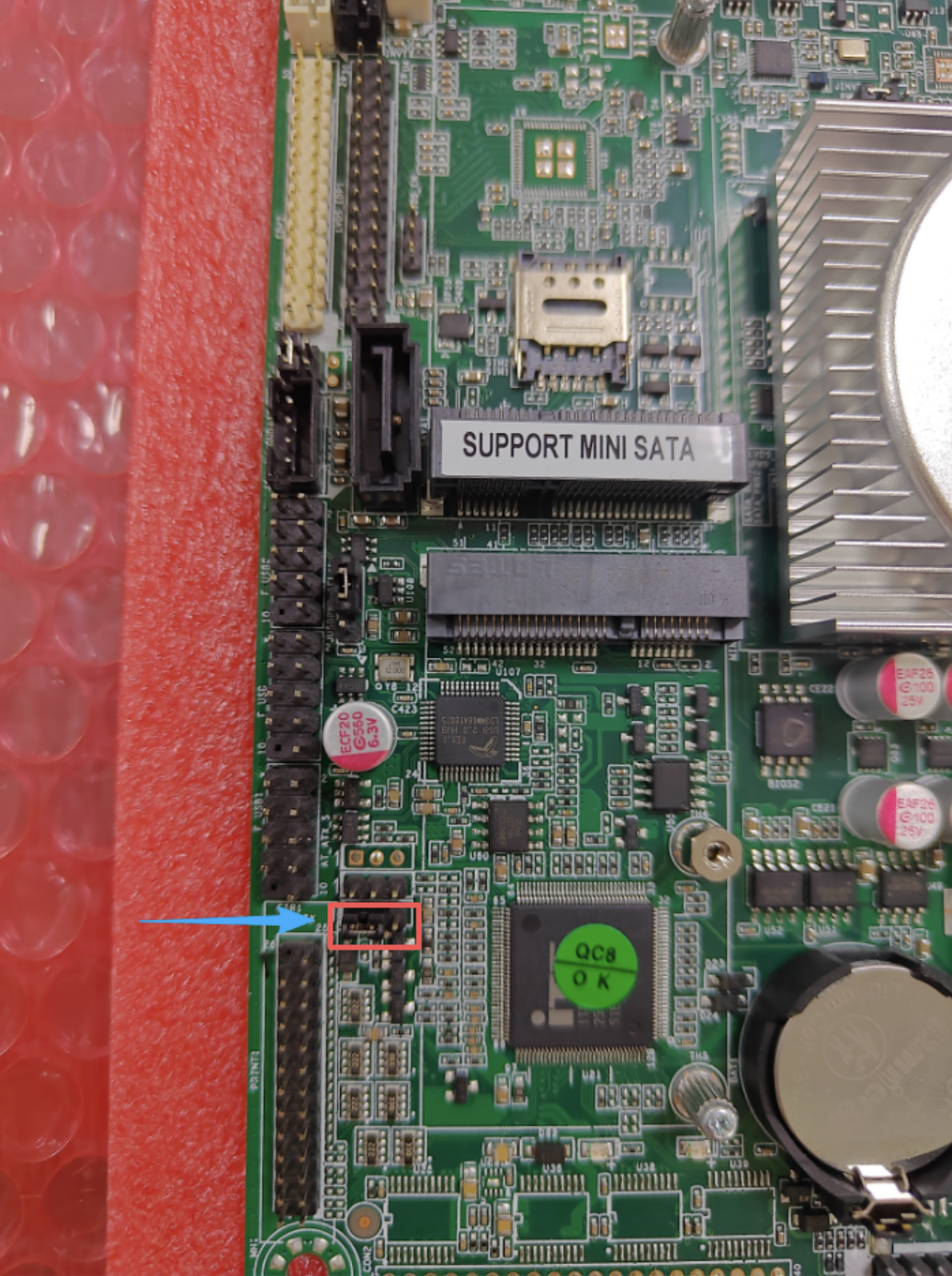
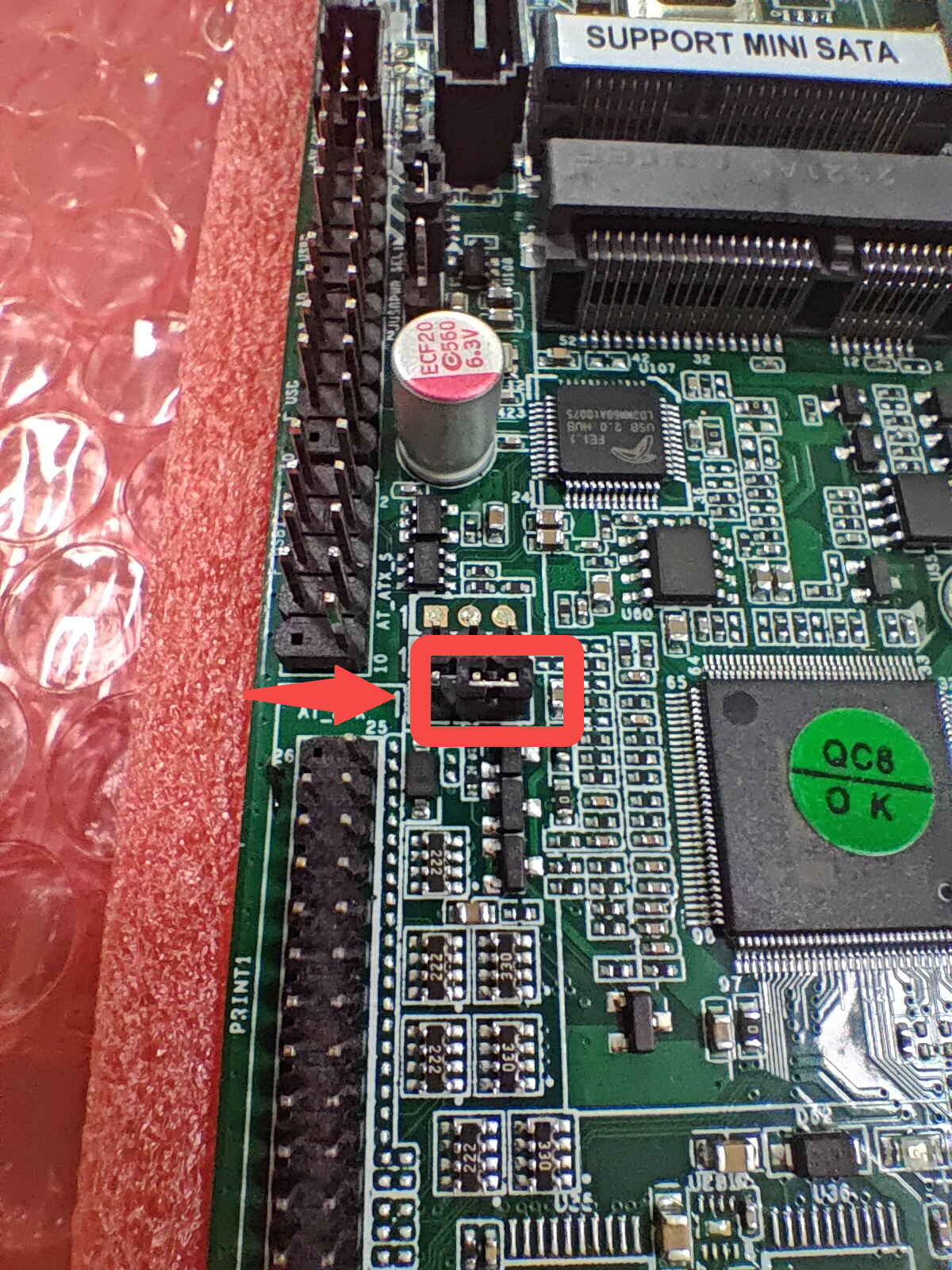
2. Remove the connector and reconnect the last two pins as shown
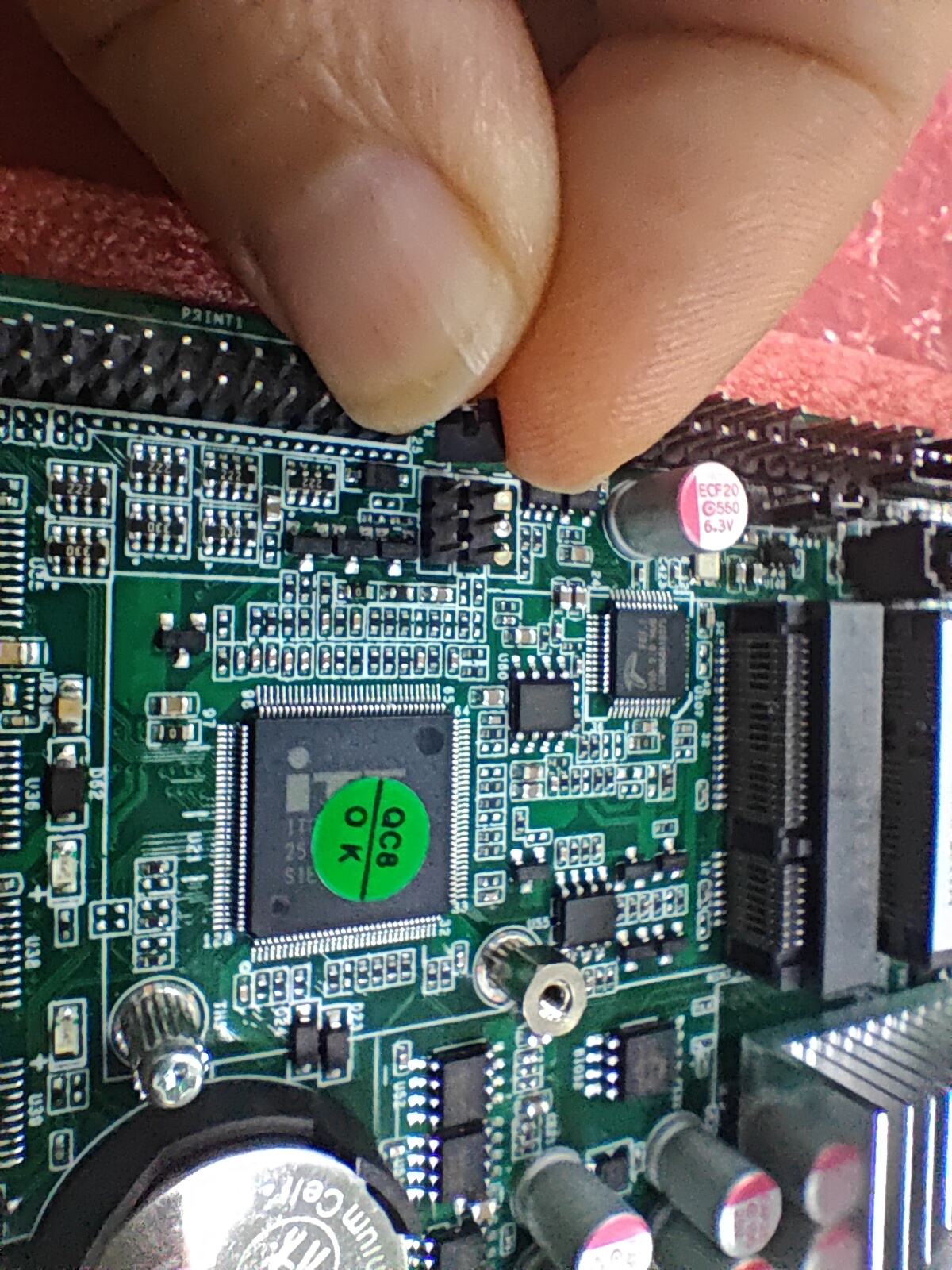
Modify to:
Was this article helpful?
That’s Great!
Thank you for your feedback
Sorry! We couldn't be helpful
Thank you for your feedback
Feedback sent
We appreciate your effort and will try to fix the article