Changing Device lD:
1. Open the Registry Editor: Press the Win + R keys on your keyboard, type 'regedit', and then press the Enter key.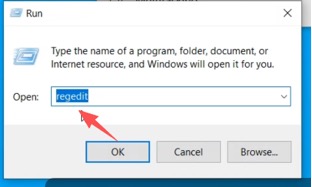
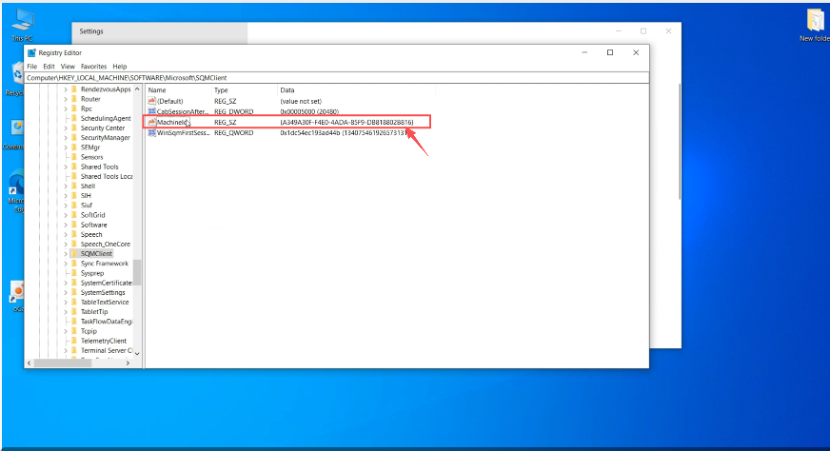
2. Navigate to the Device lD Path:HKEY_LOCAL _MACHINE \ SOFTWARE \ Microsoft \ SQMClient
Was this article helpful?
That’s Great!
Thank you for your feedback
Sorry! We couldn't be helpful
Thank you for your feedback
Feedback sent
We appreciate your effort and will try to fix the article