Overview
This guide explains how to adjust brightness settings independently per display using:
- Intel HD Graphics Control Panel (Older systems – i5 4th Gen)
- Intel Graphics Software (Newer systems – N97 or higher)
A. For i5 4th Gen (Intel HD Graphics Control Panel)
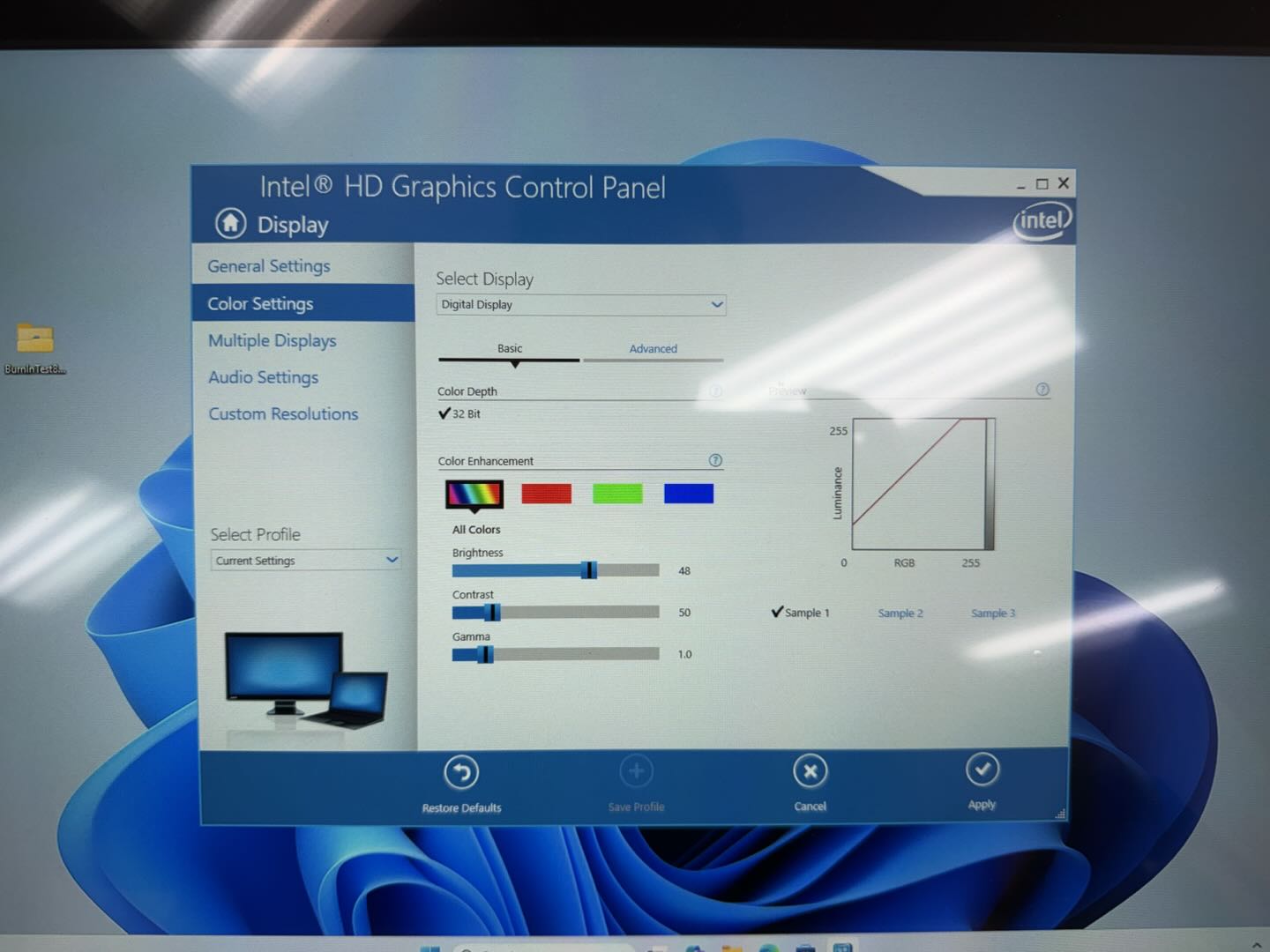
Steps
1. Open Intel HD Graphics Control Panel
- Right-click on desktop
- Click Graphics Properties
- Select Display
2. Select the Display
- At the top, find “Select Display” dropdown
- Choose:
- Digital Display (External screen / customer display)
- Built-in Display (Main POS screen)
? This is the key step — settings only apply to the selected screen
3. Adjust Brightness
- Go to Color Settings
- Adjust:
- Brightness
- Contrast
- Gamma (optional)
4. Apply Changes
- Click Apply
- Repeat the same process for the other display
Notes
- Each display must be configured one at a time
- If both screens change together, ensure:
- Correct display is selected
- Not set to mirror-only mode
B. For N97 or Higher (Intel Graphics Software)
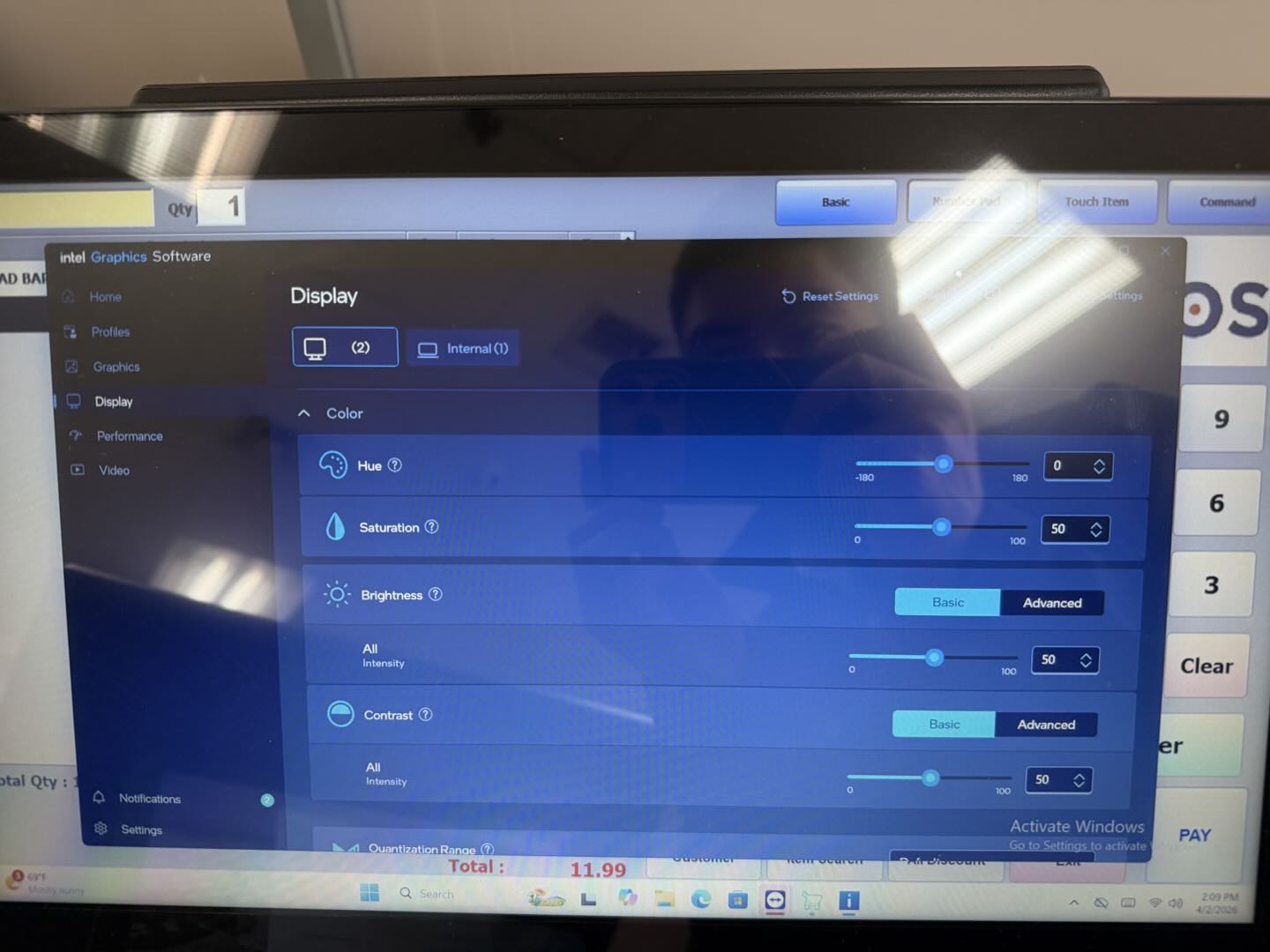
Steps
1. Open Intel Graphics Software
- Right-click desktop
- Click Intel Graphics Software
2. Go to Display Settings
- Click Display tab
3. Select the Target Screen
- At the top, select:
- (1) Internal Display
- (2) External Display
? This ensures adjustments apply per screen
4. Adjust Brightness
- Under Color Settings, adjust:
- Brightness (All Intensity)
- Contrast
- Saturation / Hue (optional)
5. Repeat for Other Display
- Switch display at the top
- Adjust separately
Notes
- Settings are saved automatically
- Make sure displays are in Extend mode, not duplicate
Troubleshooting
| Issue | Possible Cause | Solution |
|---|---|---|
| Both screens change together | Duplicate mode | Set to Extend Displays |
| Cannot adjust brightness | Driver limitation | Update Intel graphics driver |
| No display selection option | Single display detected | Check cables or ports |
| External screen too dim | Hardware brightness control | Adjust using monitor buttons |
Quick Summary
| System | Software Used | Key Step |
|---|---|---|
| i5 4th Gen | Intel HD Graphics Control Panel | Use Select Display dropdown |
| N97 or higher | Intel Graphics Software | Switch between Display (1) / (2) |
Was this article helpful?
That’s Great!
Thank you for your feedback
Sorry! We couldn't be helpful
Thank you for your feedback
Feedback sent
We appreciate your effort and will try to fix the article